This page is only available for SICK employees. Click here to login with your SICK ID.
To install the SICK My Solution app on Windows please follow the instructions in mosaic+.
Support
For support, please visit our FAQ section in mosaic+.
How to install on iOS (not required for updates)
After installing the App you have to trust “sovanta AG” in the settings:
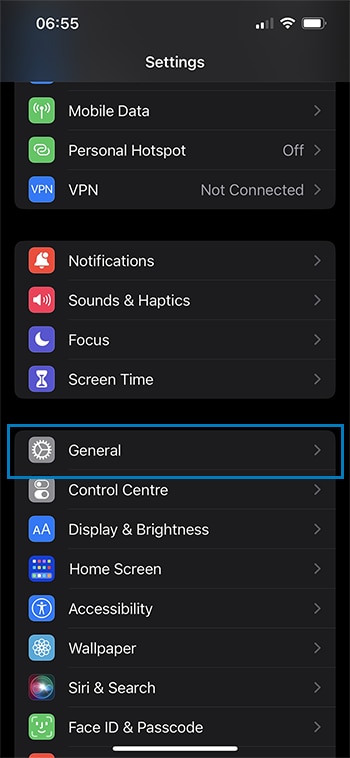
Step 1: Open settings and select general
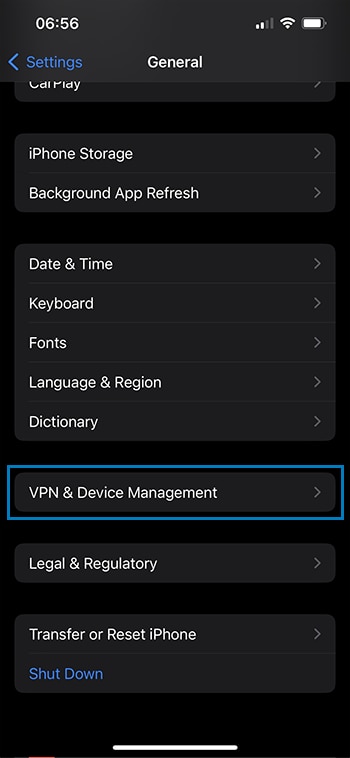
Step 2: Select VPN & Device management
Step 3: Select “sovanta AG”
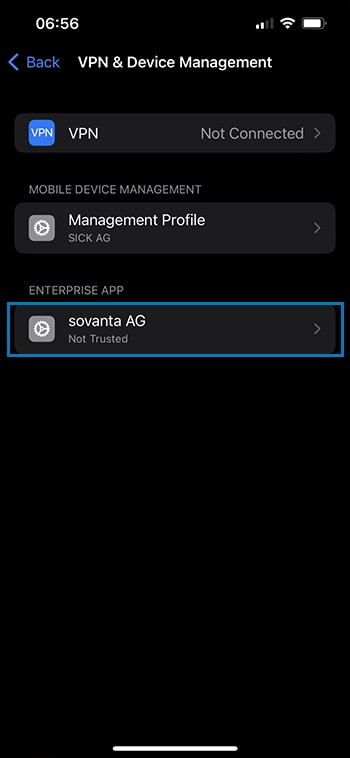
Step 4: Trust “sovanta AG”